Downloads and firmware
Download list
| Resource | Version | Download |
|---|---|---|
| Latest firmware (mica-window model, for GJ5250 / LND7317) | v4.6.0 (2025-08-20) v4.6.0_KB6011_LND7317_GJ5250.hex | Included in the firmware pack |
| Latest firmware (standard Geiger-tube model) | v4.6.0 (2025-08-20) V4.6.0.KB6011_NEW.hex | Included in the firmware pack |
| Complete flashing-file pack | v4.5.0 All Pack | Download (RAR, 78.4 MB) |
| GD32 flashing/update tool | GigaDevice MCU ISP Programmer V3.0.2.5782 | Download (RAR, 1.1 MB) |
| CH340E USB-serial driver | 3.5.2019.1 | Download (RAR, 171.5 KB) |
| 2024 KB6011 manual (Chinese/English) | 2024 print / V4.1 | Download (PDF, 335.8 KB) |
| Everyday Radiation Protection (Cartoon Edition) | First edition | Download (PDF, 1.1 MB) |
Contact us if you need an earlier firmware version.
Flashing notes
- Mica-window model: flash
v4.6.0_KB6011_LND7317_GJ5250.hex. The Geiger tube defaults to GJ5250. If your detector uses LND7317, hold Up and Down together to open advanced settings, then set Sensor to 7317. - Standard Geiger-tube model: flash the standard-tube firmware
V4.6.0.KB6011_NEW.hex.
Firmware changelog
V4.6.0 (2025-08-20) V4.6.0.KB6011_NEW.hex
- Faster and more stable alarm triggering at high dose rates.
- Improved high-range accuracy for J321, J305, and HAC 2311.
- Added a multi-round failed self-test flow that automatically selects a matching voltage and controls dead time internally, improving robustness with older tubes whose quenchers have degraded.
- Fixed minor CPS histogram bugs.
new_KB6011_V4d5 (2025-07-16)
- CF adjustment range is now 0.1–3.0.
- Improved measurement speed above 12 µSv/h, with continuous one-second refresh above 20 µSv/h.
- Added dead-time control to suppress false pulses.
- Extended the displayed range to 30 mSv/h instead of forcing a 5 mSv/h limit.
- Added adjustable brightness, improved power saving, and a low-battery dialog. Automatic shutdown is reserved at 10–20% remaining charge to protect long-term battery life.
- Fixed minor bugs.
tip
With false pulses suppressed, you can even try operating the Geiger tube at a higher voltage, which may provide an additional 10–20% sensitivity improvement.
GJ5250 / LND7317 mica-window Geiger-tube DIY edition (2025-07-15)
- Improved measurement speed above 12 µSv/h, with continuous one-second refresh above 20 µSv/h.
- Added dynamic dead-time control with enforced limits to prevent background spikes and false pulses caused by secondary electrons.
- Extended the displayed range to 30 mSv/h instead of forcing a 5 mSv/h limit.
- Substantially retuned parameters for GJ5250 and LND7317 mica-window tubes.
- Added adjustable brightness, improved power saving, and a low-battery dialog. Automatic shutdown is reserved at 10–20% remaining charge to protect long-term battery life.
- Fixed other minor bugs.
How to flash the firmware
The KB6011 uses a GD32 MCU. Download the matching tool and driver before flashing (see the download table above):
- Programmer: GigaDevice MCU ISP Programmer V3.0.2.5782
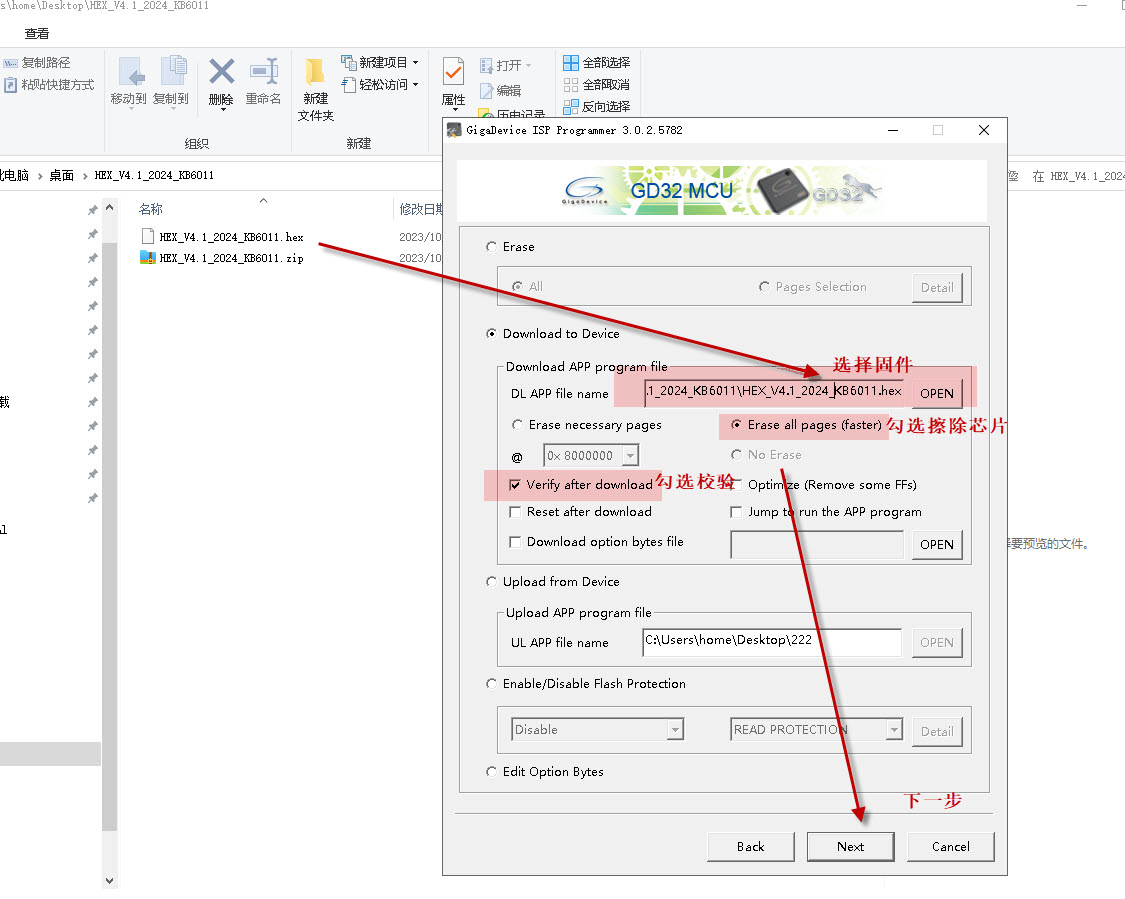
- Firmware: HEX file
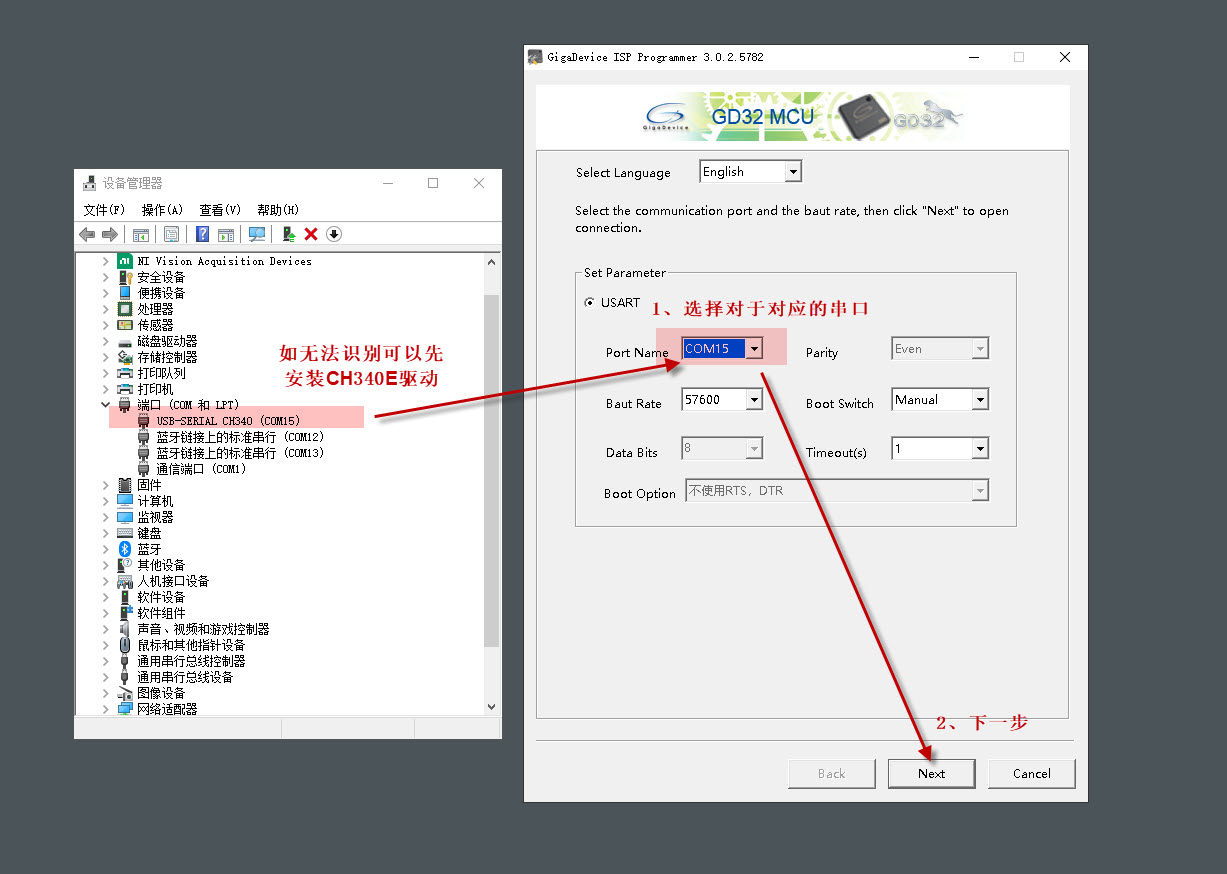
- Serial driver (may be required): CH340E USB-serial chip driver
Preparation and steps:
- Connect the device to a Windows computer over USB.
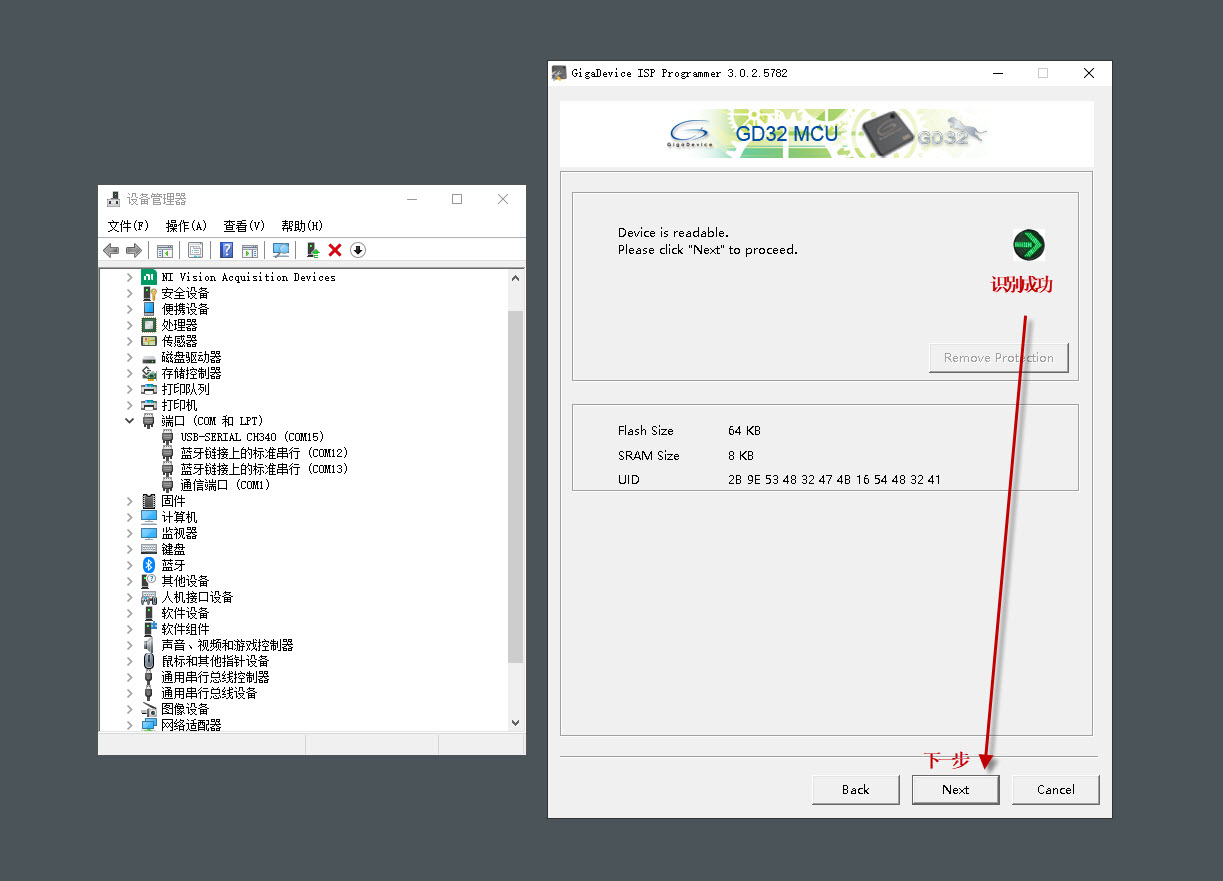
- Launch GigaDevice MCU ISP Programmer.
- Hold the Up button, then hold the Center button as well to enter flashing mode.
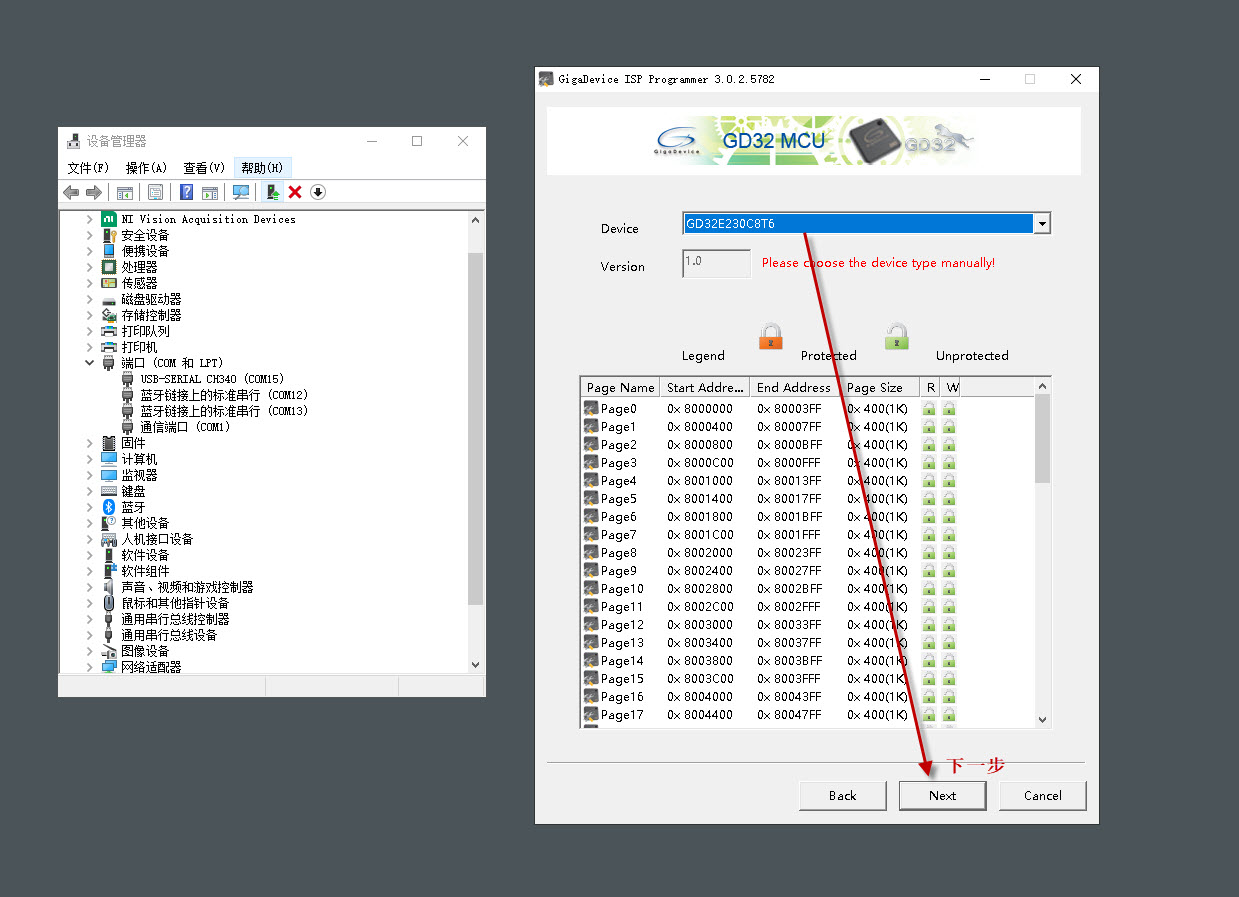
- Select the COM port associated with CH340E in the software, then continue to the firmware-selection page.
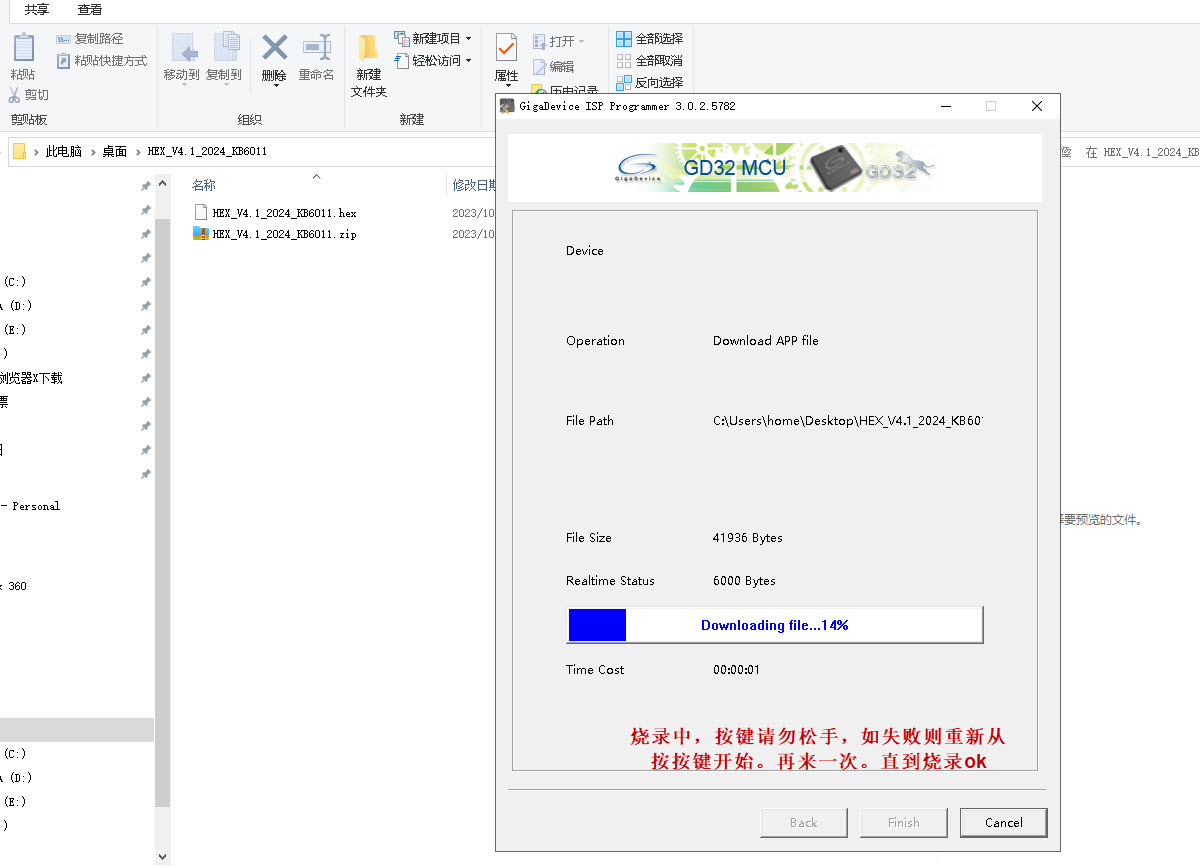
Critical
Move quickly between pressing the buttons and clicking NEXT in the software. Keep holding the power button throughout flashing; releasing it may brick the device.
See Video tutorials for a flashing demonstration.